No Grid Size Defined unable to close a window internal or external monitor
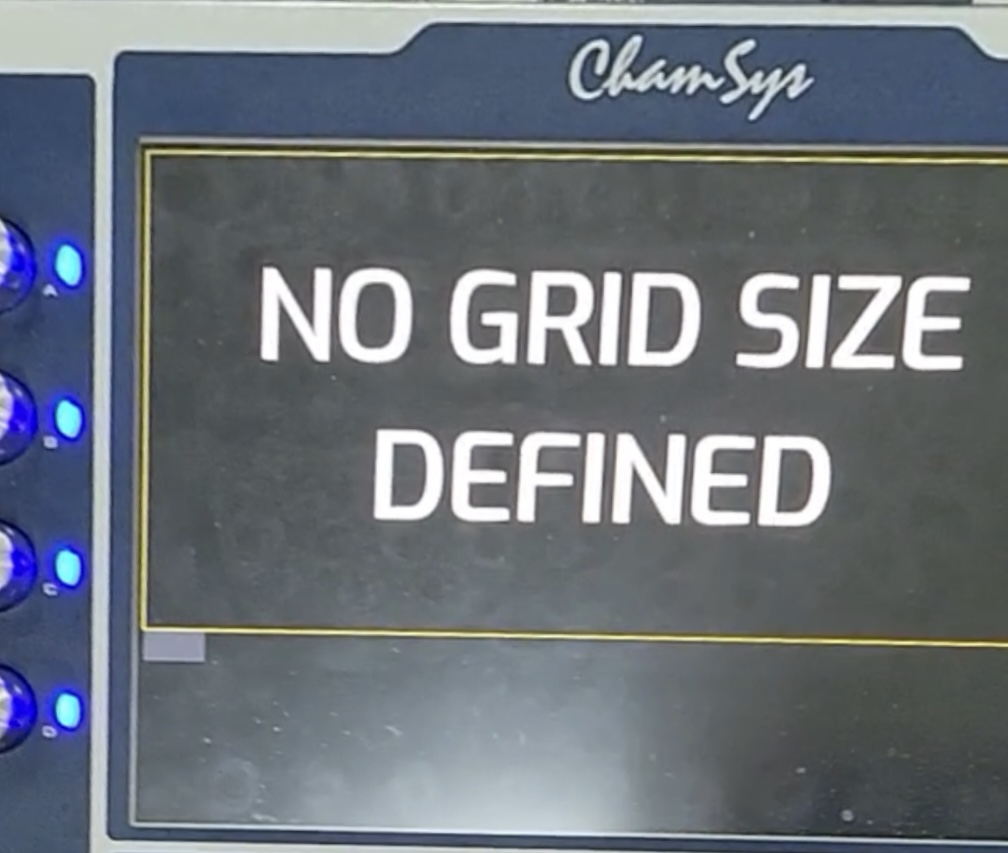
It looks like the console is booting into the Execute window.
How to Fix:
- Shutdown console (three arrows + dbo)
- Power on console, during boot just before MQ starting you’ll see ‘starting MagicQ, press any key to enter software utility’ message. E.g. press "enter" here quickly,
- Then enter *999 to reset factory settings (not *777 as this will erase the console), *999 just drops the show file from being loaded when MQ starts up.
- Then exit software utility (follow instructions on screen).
- This will place you back in MagicQ, without a show file loaded and you can then Reload their show as needed.
- Once you have loaded your show file, check the setting Setup > View Settings > Mode > 'Run in Execute window' is set to “none” or “no.” In older versions of the software this may be found Setup > View Settings > Windows > 'Run in Execute window'. Then, save a show file! (and backup to a USB!).
Why did this happen?
- Likely the console hardware setting may have accidentally been set as:Setup > View Settings > Mode > 'Run in Execute window'. This can be an accidental press when moving quickly between windows and/or the setup window is part of a layout or under another window on a layout view.
- An Execute window was not defined. Similar issue - execute page covers all of the monitor(s) and can not be closed
- Likely the console hardware setting may have accidentally been set as:Setup > View Settings > Mode > 'Run in Execute window'.
- An Execute window was defined, but either no Execute Button was left empty in the bottom right corner for the automatically added “close” option or a built in action “close” was not added to the Execute window when it was designed.
Other issues or actions that you may want to consider
- Upon clicking the window with the No Grid Size Defined, another smaller window pops up asking "would you like to shut down desk?" Yet, when you select “no” and then select any layout, the Full Screen “No Grid Size Defined” appears again. Perform the above steps.